
WEEX OTC Lists 200+ Trading Pairs


Dear WEEXers,
The WEEX OTC platform now supports 200+ new trading pairs, letting you buy crypto directly with your local currency—quick, simple, and secure. Enjoy more payment options and kickstart your crypto journey.
How to buy crypto via Quick Buy
Website
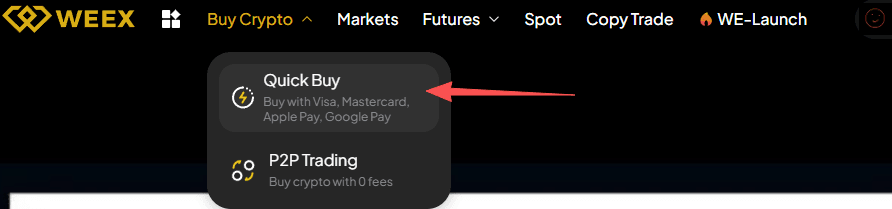
Step 1: Select "Buy Crypto" in the navigation bar, and then click "Quick Buy" to get started.
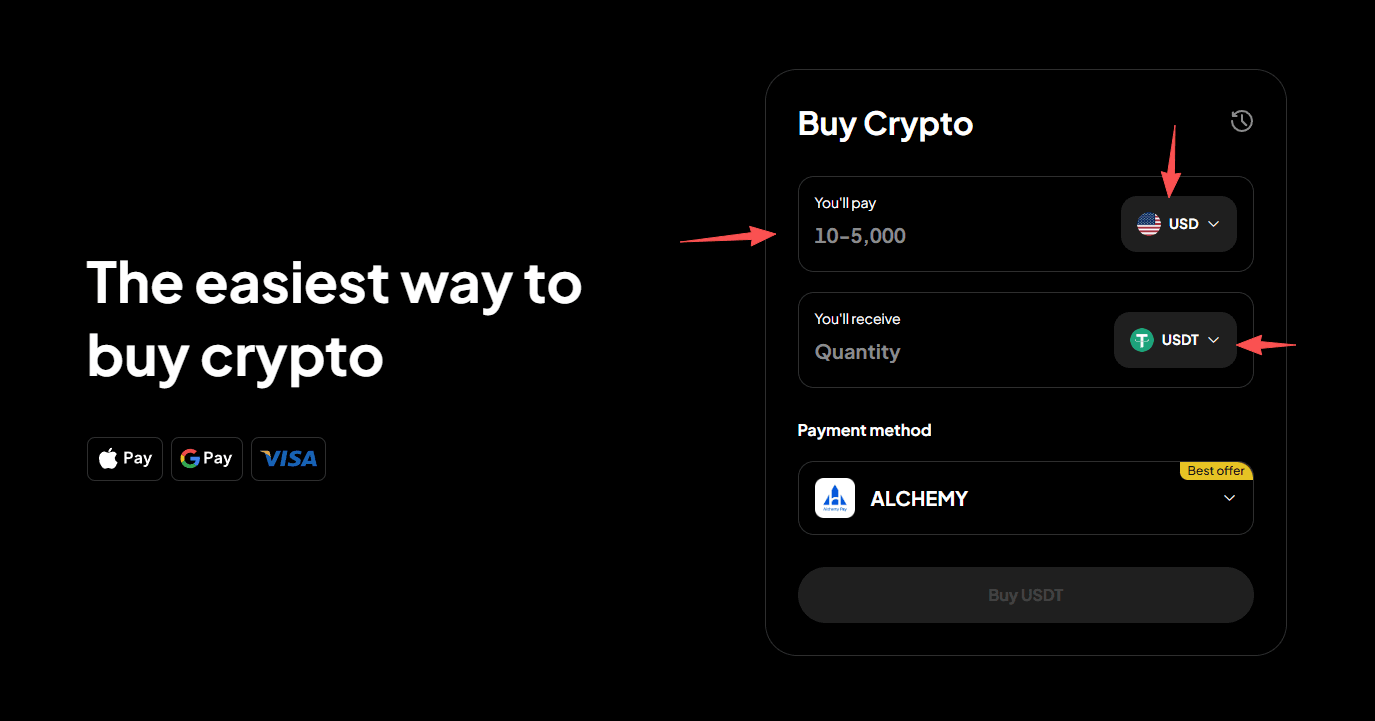
Step 2: Choose your fiat currency and cryptocurrency, and enter a purchase amount. We'll calculate the amount of cryptocurrency you'll get.
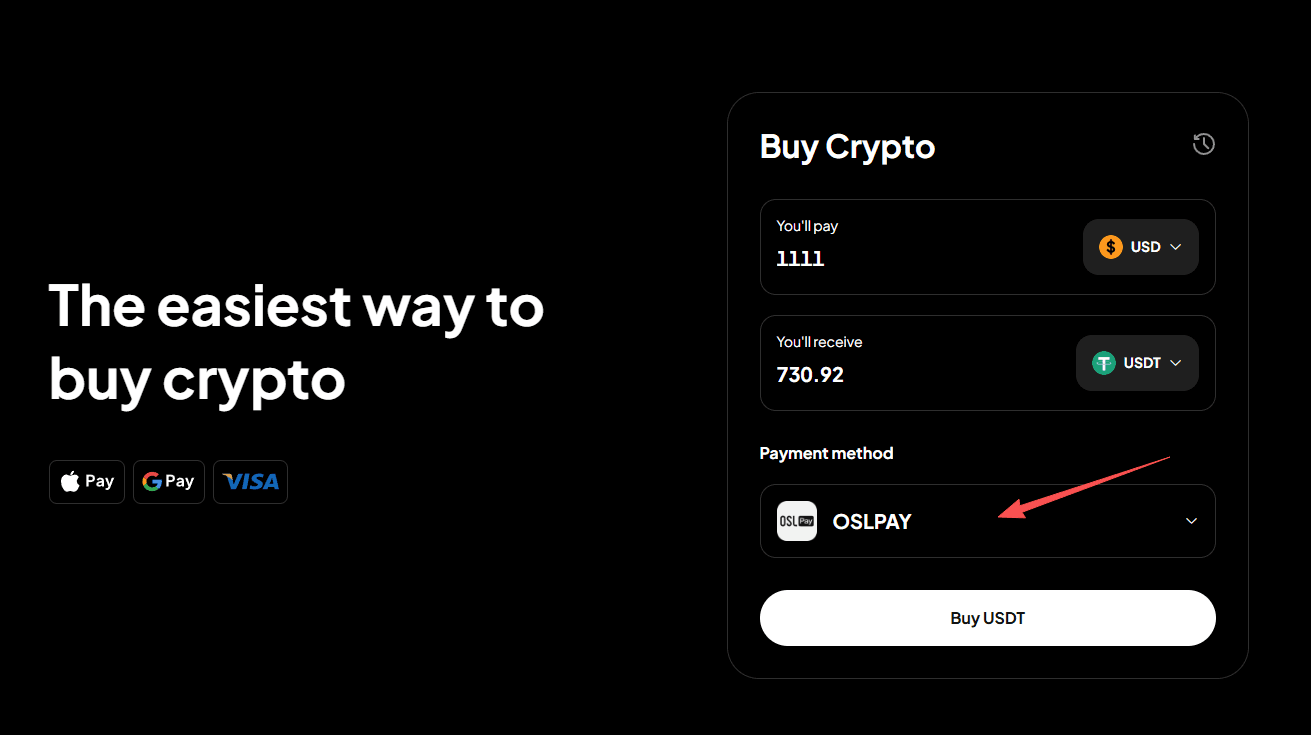
Step 3: Choose your payment method.
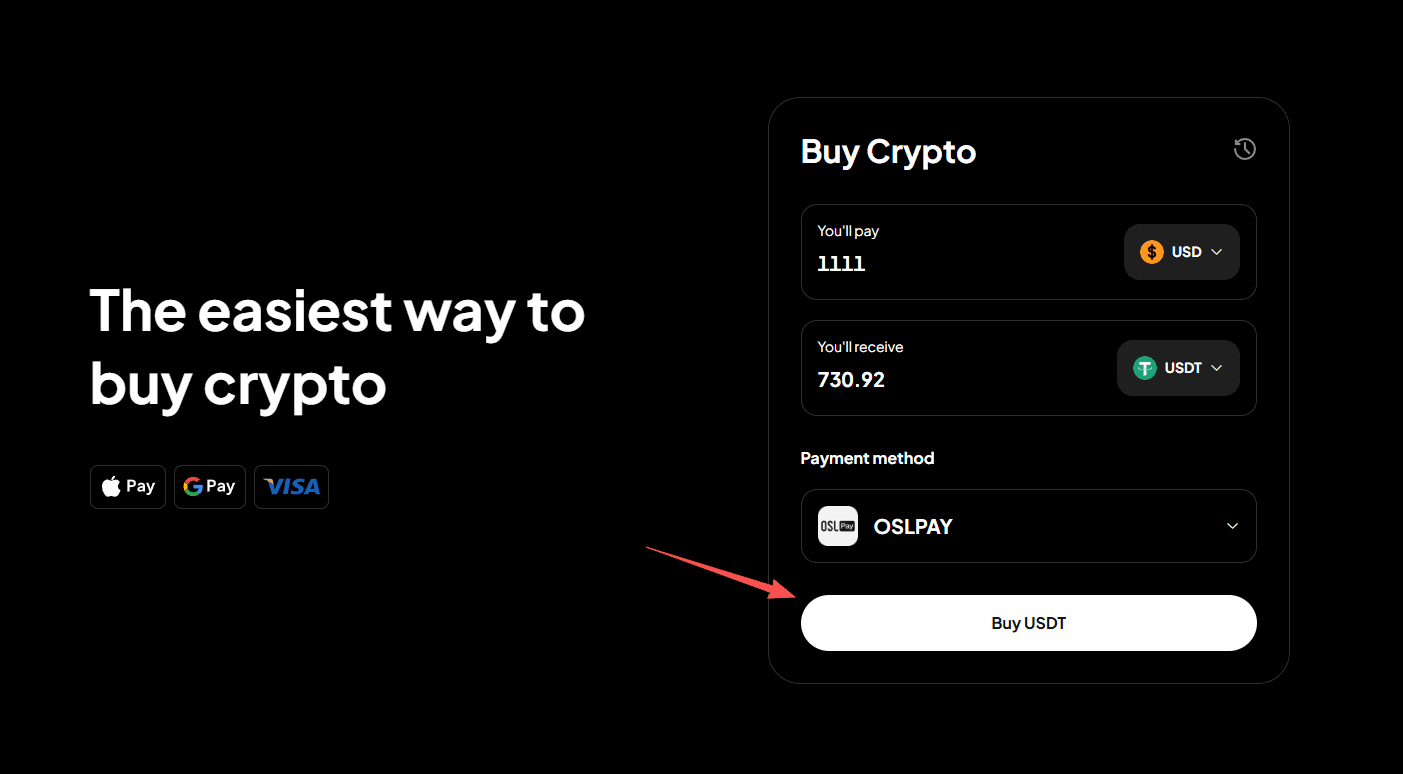
Step 4: Click "Buy Crypto" to proceed.
Step 5: Confirm your order details.
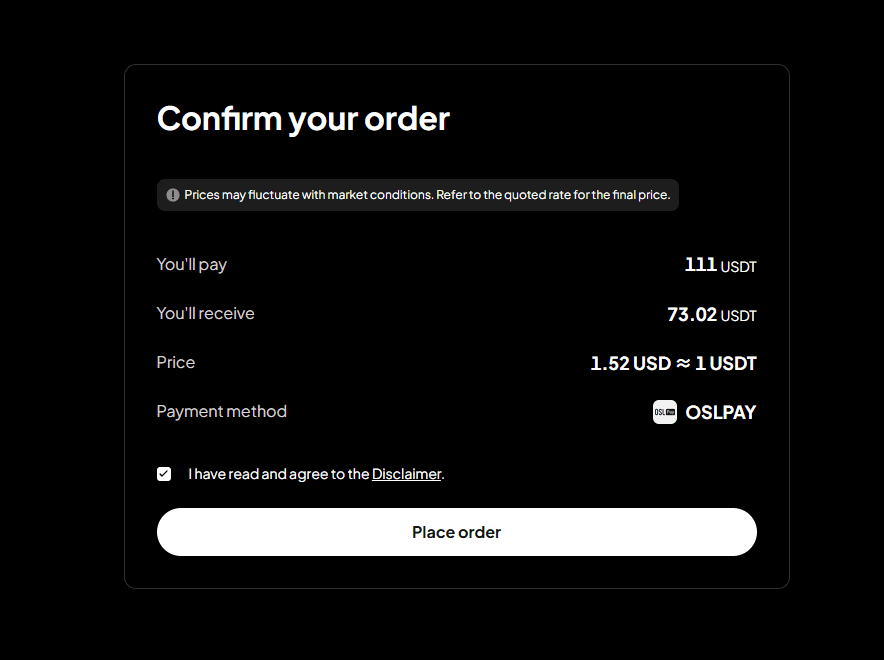
Step 6: You'll be redirected to a third-party payment page. Once payment is made, the order will be completed.
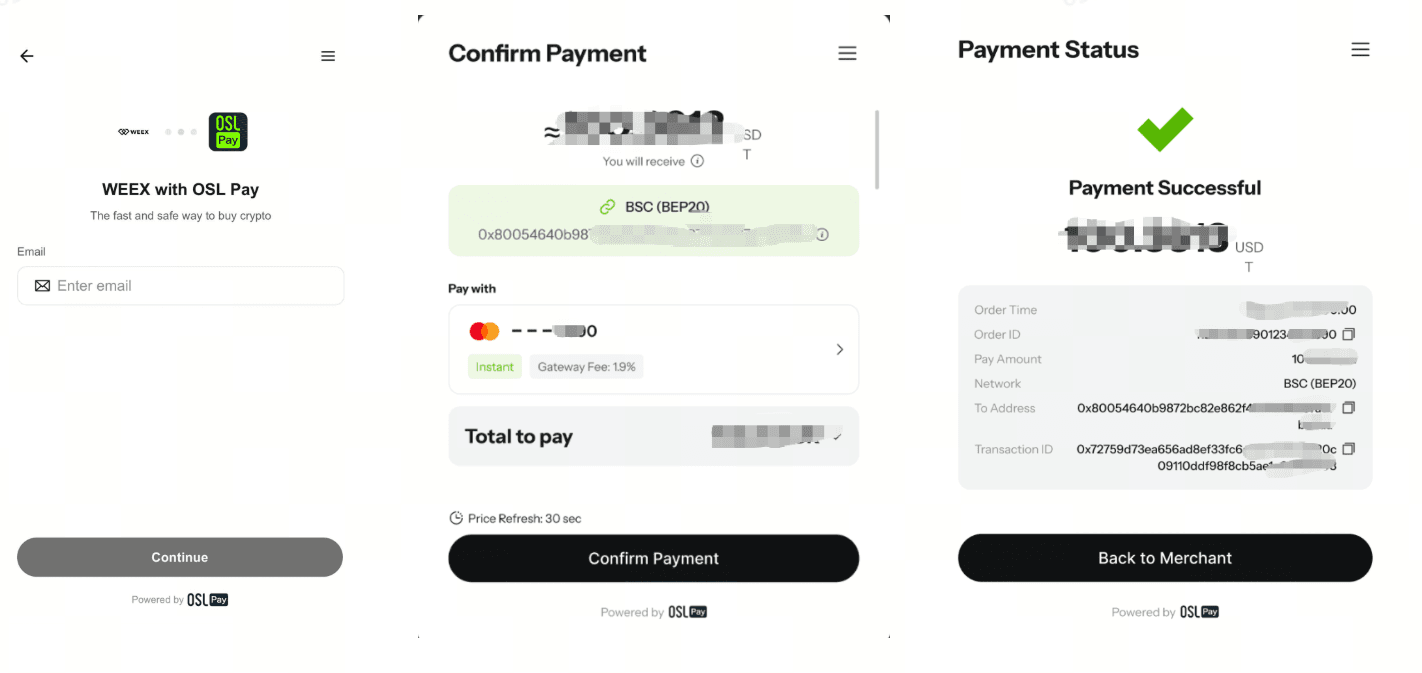
App
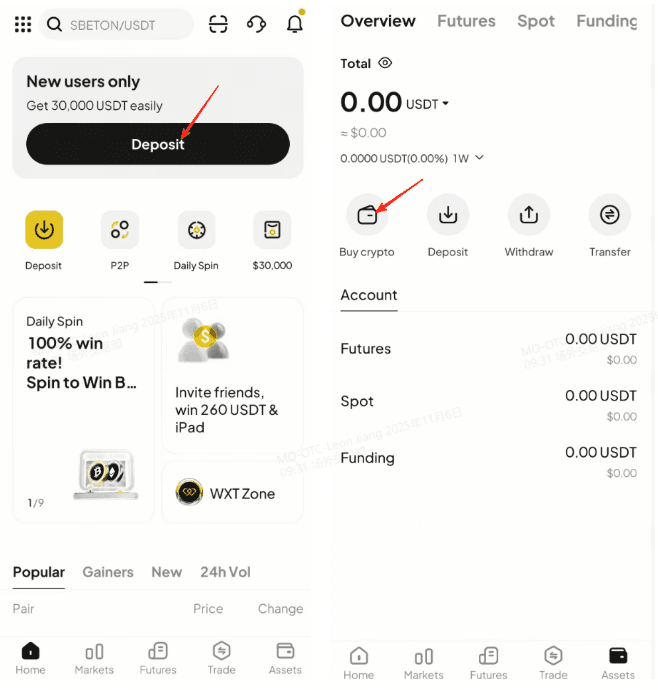
Step 1: From the app homepage, tap "Deposit" or "Assets", then tap "Buy Crypto."
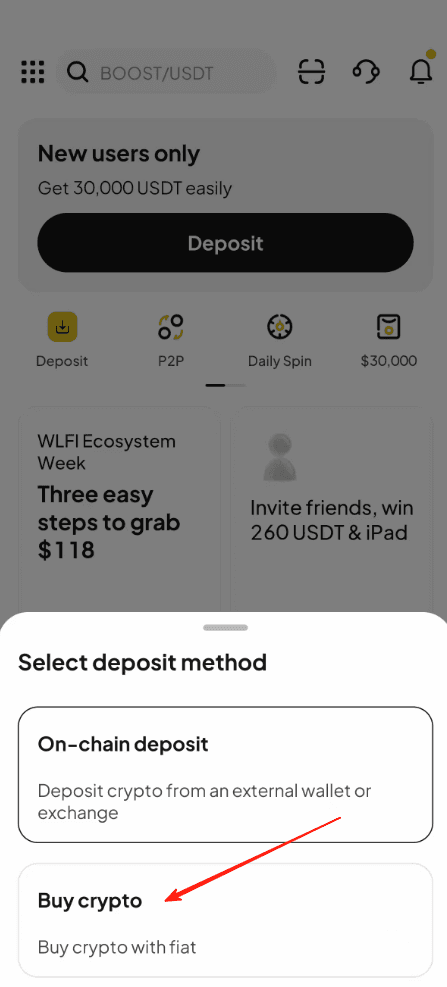
Step 2: Select "Buy Crypto" as the deposit method.
Step 3: In "Quick Buy," select your fiat currency, the cryptocurrency you want to buy, and your payment method.
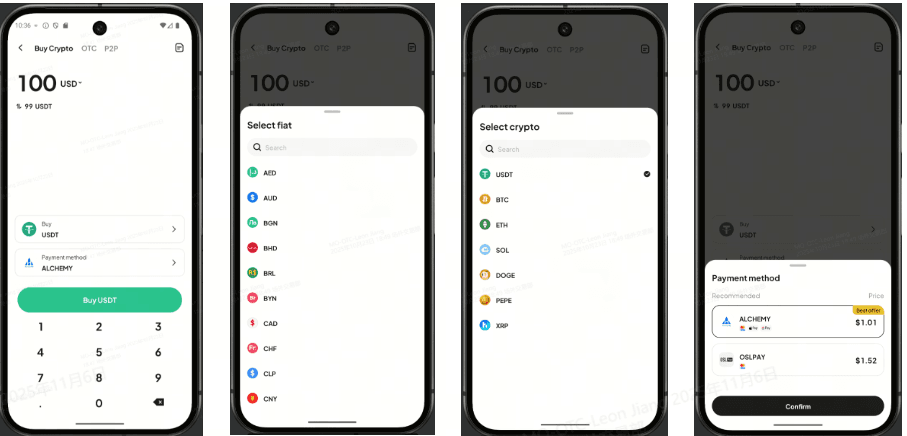
Step 4: Tap "Buy Crypto".
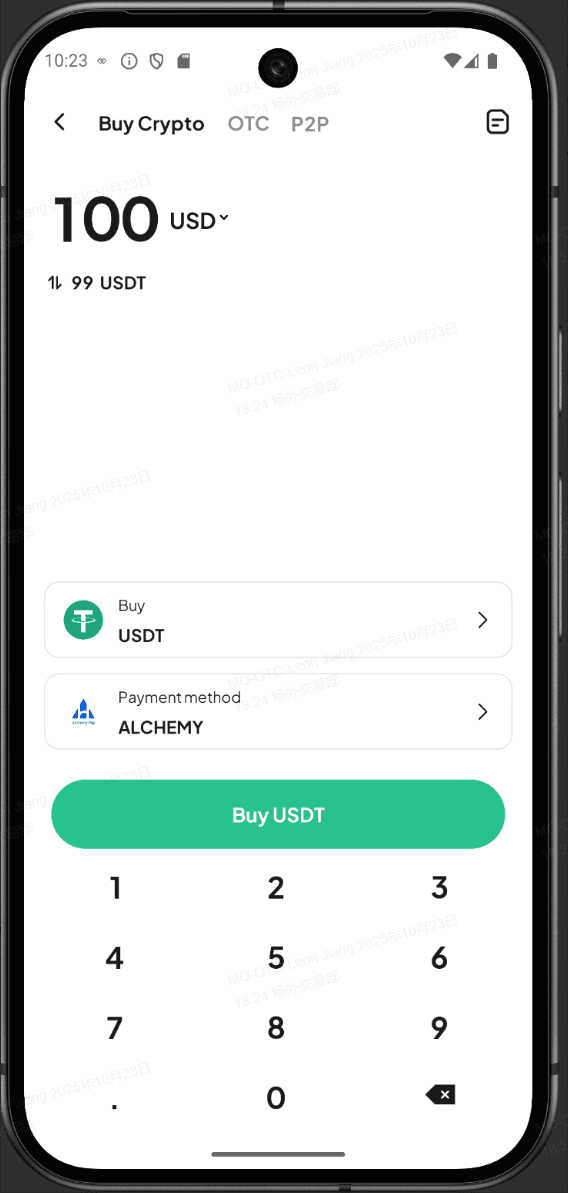
Step 5: Go to the "Order Confirmation" page to confirm your order.
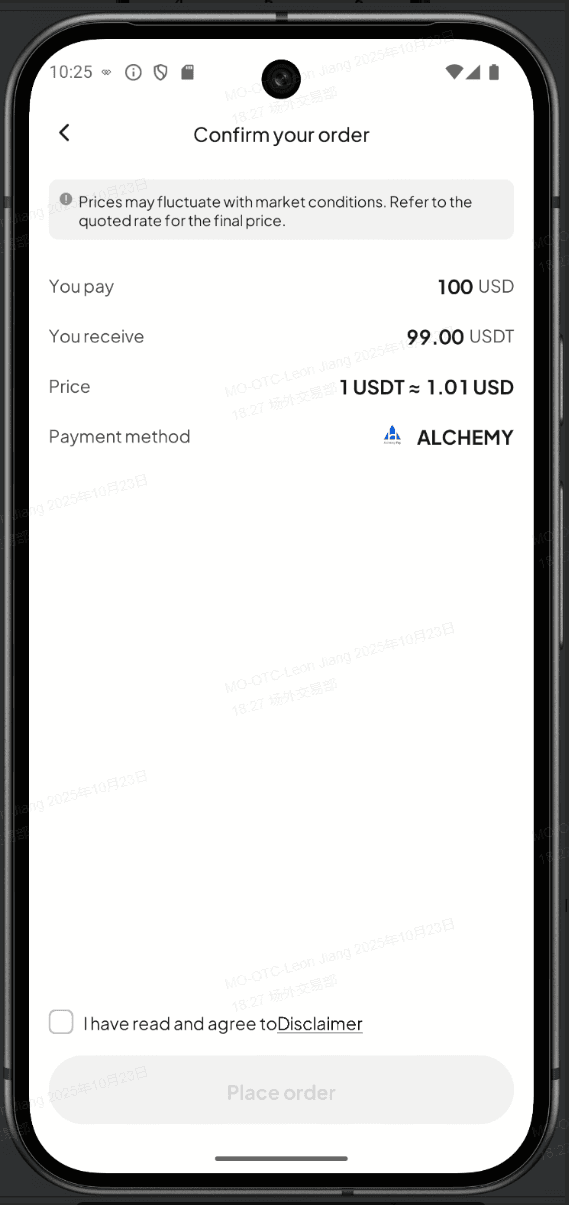
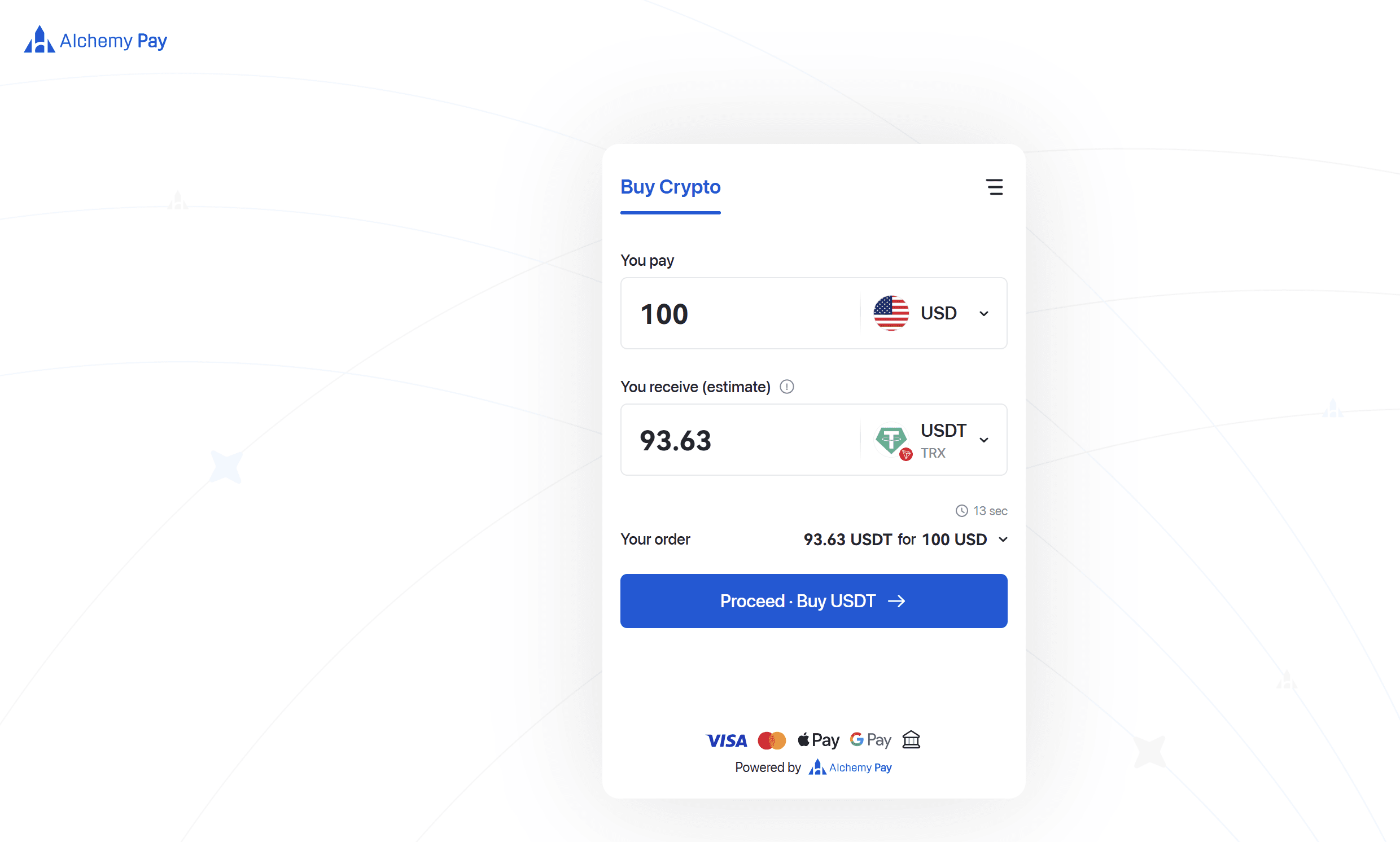
Step 6: You'll be redirected to a third-party payment page. Once payment is made, the order will be completed.
After your purchase is complete, go to the "Assets" tab (bottom-right corner), tap "Buy Crypto," and select the History icon in the top-right corner to view your orders.
This is a general announcement. The features or services mentioned herein may not be available in your region.
This service is provided by a third-party payment provider. WEEX is not responsible for processing these transactions.
Make a fiat purchase
Go to "Quick Buy" and add funds in seconds.
Update your app to version 4.4.20 or higher for a smoother user experience!
You may also like
Track Markets At a Glance: New WEEX Price Widgets for iOS & Android
To streamline your market data access, WEEX has officially launched "Market Watchlist" desktop widgets
WEEX Bubbles App Now Live Visualizes the Crypto Market at a Glance
WEEX Bubbles is a standalone app designed to help users quickly understand complex crypto market movements through an intuitive bubble visualization.
Major Upgrade on Web: 10+ Advanced Chart Styles for Deeper Market Insights
To deliver more powerful and professional analysis tools, WEEX has rolled out a major upgrade to its web trading charts—now supporting up to 14 advanced chart styles.
Auto Earn Bonus 2026: WEEX vs Binance vs Bybit vs OKX vs Kraken (Only 1 Pays Extra)
Auto Earn 2026: Binance? Bybit? No extra bonus. Only WEEX gives +0.5% + 300% APR referral. Limited-time. See exactly how much more you can earn.
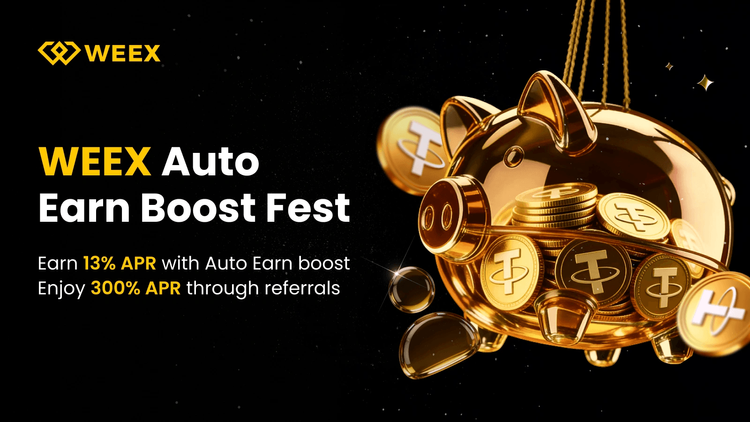
Auto Earn 2026: WEEX Offers 0.5% Extra + 300% APR Bonus — More Than Binance & Bybit?
Most exchanges offer Auto Earn, but only WEEX adds an extra 0.5% bonus on balance growth + 300% APR referral rewards in 2026. Here’s how WEEX compares to Binance, Bybit, OKX, and Kraken — and why you might earn more with a simple toggle.
WEEX OTC Now Supports EUR Deposits via SEPA Bank Transfer
To provide a smoother, more accessible fiat on-ramp, WEEX OTC has added SEPA Bank Transfer.

All-new copy trading
To provide a safer trading experience and clearer fund management, WEEX is rolling out a major upgrade to its copy trading system.

WEEX P2P now supports GHS, ETB & ZAR—Merchant Recruitment Now Open
To make crypto deposits easier, WEEX has officially launched its P2P trading platform and continues to expand fiat support. We're excited to announce that the Ghana Cedi (GHS), Ethiopian Birr (ETB) and South African Rand (ZAR) are now available on WEEX P2P!
WEEX P2P now supports PHP—Merchant Recruitment Now Open
To make crypto deposits easier, WEEX has officially launched its P2P trading platform and continues to expand fiat support. We're excited to announce that the Philippine Peso (PHP) is now available on WEEX P2P!
New Drag-to-set TP/SL Feature on Candlestick Chart
To help you optimize your strategies, the WEEX app now supports the drag-to-set feature for placing TP and SL orders directly on the candlestick chart.
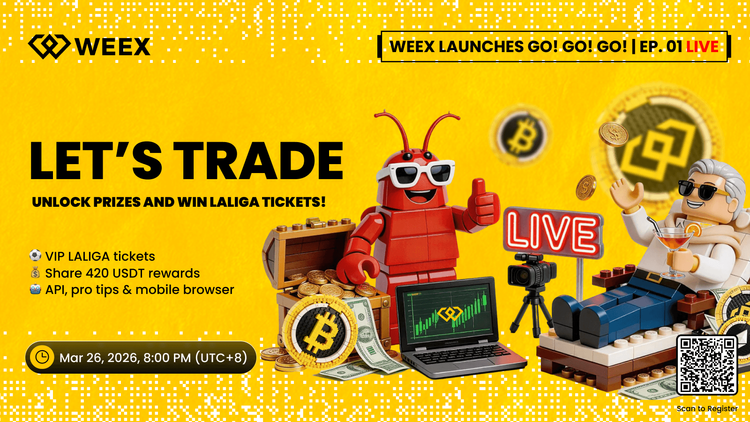
How to Trade Crypto on Mobile Browser & Win LALIGA Tickets (2026 Guide)
Discover how AI automation, natural language trading, and mobile browser trading platforms are shaping automated trading in 2026. Join the WEEX live trading event for early access and rewards like LALIGA VIP tickets.
WEEX Official Product Launch: Win LALIGA Tickets & Unlock the 3-in-1 Crypto Trading Suite
Trade crypto without downloading an app. Join the WEEX H5, API, SKILLs livestream to explore the new trading experience, win LALIGA VIP tickets, and share 420 USDT rewards.

WEEX P2P now supports JOD, USD & EUR—Merchant Recruitment Now Open
To make crypto deposits easier, WEEX has officially launched its P2P trading platform and continues to expand fiat support. We're excited to announce that the Jordanian Dinar (JOD), United States Dollar (USD ) and Euro (EUR) are now available on WEEX P2P!
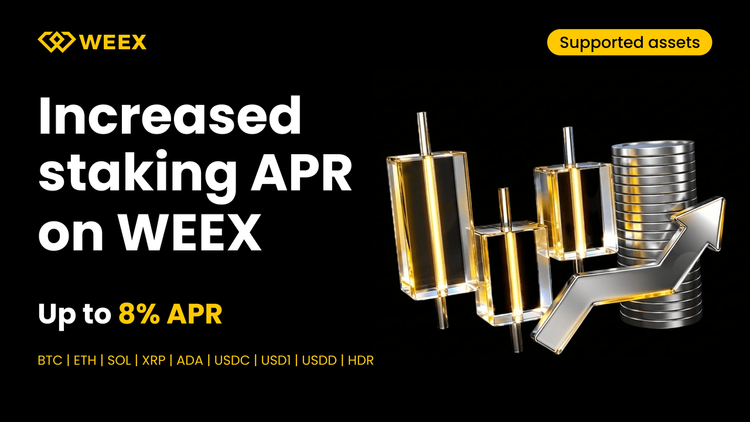
Auto Earn Crypto Passive Income: Staking Rewards Up to 8% APR
Start earning crypto passive income with auto earn. Get up to 8% APR on BTC and higher yields on stablecoins. Compare staking rewards and maximize your returns today.
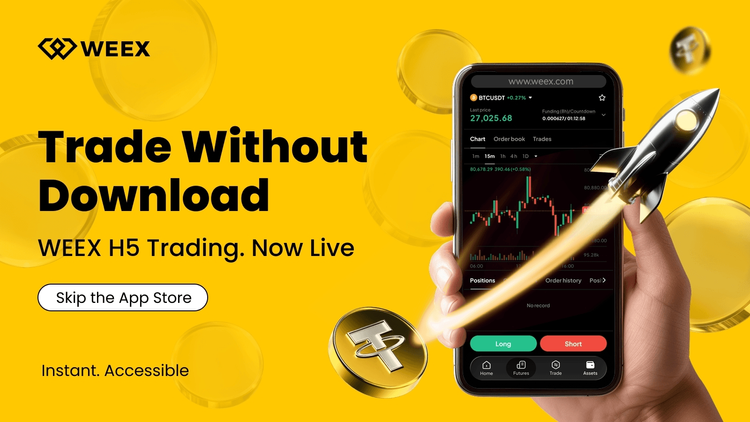
How to Trade Cryptocurrency Without App Store: Instant Browser Crypto Trading on WEEX
Trade crypto instantly without downloading an app. Use WEEX H5 to access spot and futures trading directly in your browser with fast execution, real-time risk control, and seamless experience across mobile, tablet, and desktop. Supports Bitcoin, Ethereum, and more.

WEEX P2P now supports KZT, UZS, AMD, GEL & MDL—Merchant Recruitment Now Open
To make crypto deposits easier, WEEX has officially launched its P2P trading platform and continues to expand fiat support. We're excited to announce that the Kazakhstani Tenge (KZT), Uzbekistani Som (UZS), Armenian Dram (AMD), Georgian Lari (GEL) and Moldovan Leu (MDL) are now available on WEEX P2P!
WEEX P2P update: Country/region restrictions for ad posting
To improve ad security and matching accuracy, WEEX P2P now allows advertisers to restrict who can trade with their ads based on country or region. Advertisers can select preferred counterparty locations for a safer, smoother trading experience.
I. OverviewWhen publishing P2P ads, advertisers can now set the following:
Allow only counterparties from selected countries or regions to trade with your ads.
With this feature, you can:
Target specific user groups more precisely.Reduce cross-region trading risks.Improve order matching quality.II. Applicable scenariosThe following are some common scenarios:
Restrict payment methods: Limit orders to users in your country using supported local banks or wallets.Risk control: Avoid trading with users from high-risk regions.Operational strategy: Tailor ads to specific markets.III. How to get startedOn the ad posting page, find "Trading requirements":
Select "Trade with users from selected countries or regions only".Then select the countries or regions to add to the allowlist.Use the search box to quickly find a country or region.Once your settings are complete, submit the ad to apply the restrictions.When an advertiser enables the "Country/Region Restriction" feature, users who do not meet the criteria will be blocked when placing an order and will see the following prompt:
If you encounter this issue when placing an order as a regular user, try the following solutions.
Choose another ad: Select ads that do not restrict your country/region, or ads that allow users from your location.Show local ads only: Prioritize ads available in the same country as your identity verification.IV. BenefitsCompared with ads without country/region restrictions, this feature provides the following improvements.
AspectImprovementTrading securityReduces abnormal orders and fraud riskConversion efficiencyMatches ads with more relevant usersOrder completion rateReduces failures caused by incompatible payment methodsV. FAQQ1: Why are some users not able to place orders on my ad? A1: Their country or region may not be included in your allowlist.
Q2: Can I select multiple countries or regions when setting the restriction? A2: Yes, multiple selections are supported.
Q3: Can I edit my published ads? A3: Yes. You can edit your ad in the "My Ads" list. Changes will take effect immediately after saving.
WEEX P2P upgrade: Ad posting now available for regular users
To further improve liquidity and user participation in the P2P market and create a more open and efficient trading environment, WEEX now allows regular users to post ads on P2P. This update allows non-merchant users to post ads, opening up greater participation in the P2P marketplace.
Track Markets At a Glance: New WEEX Price Widgets for iOS & Android
To streamline your market data access, WEEX has officially launched "Market Watchlist" desktop widgets
WEEX Bubbles App Now Live Visualizes the Crypto Market at a Glance
WEEX Bubbles is a standalone app designed to help users quickly understand complex crypto market movements through an intuitive bubble visualization.
Major Upgrade on Web: 10+ Advanced Chart Styles for Deeper Market Insights
To deliver more powerful and professional analysis tools, WEEX has rolled out a major upgrade to its web trading charts—now supporting up to 14 advanced chart styles.
Auto Earn Bonus 2026: WEEX vs Binance vs Bybit vs OKX vs Kraken (Only 1 Pays Extra)
Auto Earn 2026: Binance? Bybit? No extra bonus. Only WEEX gives +0.5% + 300% APR referral. Limited-time. See exactly how much more you can earn.
Auto Earn 2026: WEEX Offers 0.5% Extra + 300% APR Bonus — More Than Binance & Bybit?
Most exchanges offer Auto Earn, but only WEEX adds an extra 0.5% bonus on balance growth + 300% APR referral rewards in 2026. Here’s how WEEX compares to Binance, Bybit, OKX, and Kraken — and why you might earn more with a simple toggle.
WEEX OTC Now Supports EUR Deposits via SEPA Bank Transfer
To provide a smoother, more accessible fiat on-ramp, WEEX OTC has added SEPA Bank Transfer.


