
How to Enable Two-Factor Authentication (2FA) on WEEX Exchange: A Step-by-Step Guide

To enhance the security of your account, enabling Two-Factor Authentication (2FA) on WEEX is essential. This additional layer of protection ensures that only you can access your account, providing extra security during transactions and withdrawals.
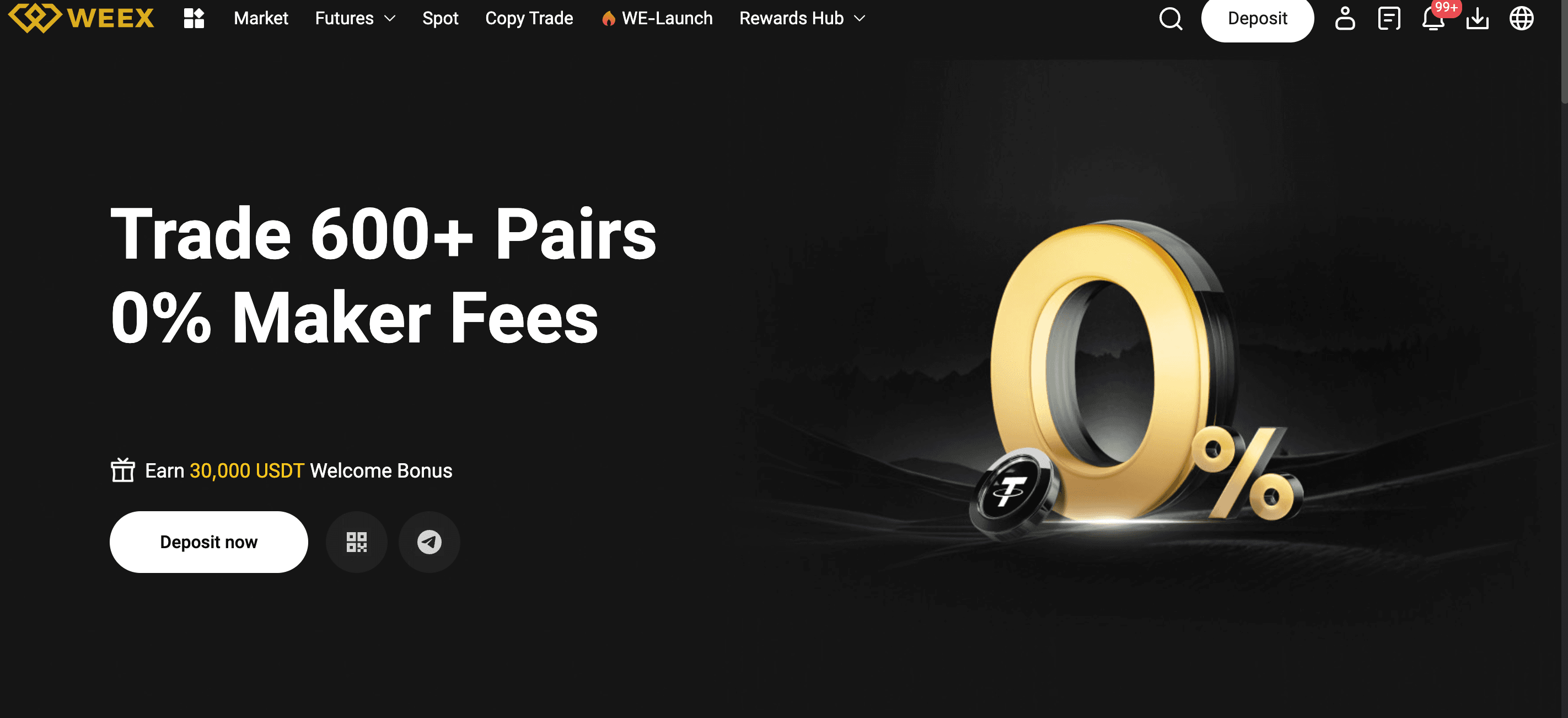
Why 2FA is Important on WEEX
2FA adds a second level of security by requiring a code generated on your mobile device (via an authenticator app like Google Authenticator or Authy) in addition to your password. It prevents unauthorized access, even if your password is compromised.
Step-by-Step Guide to Setting Up 2FA on WEEX
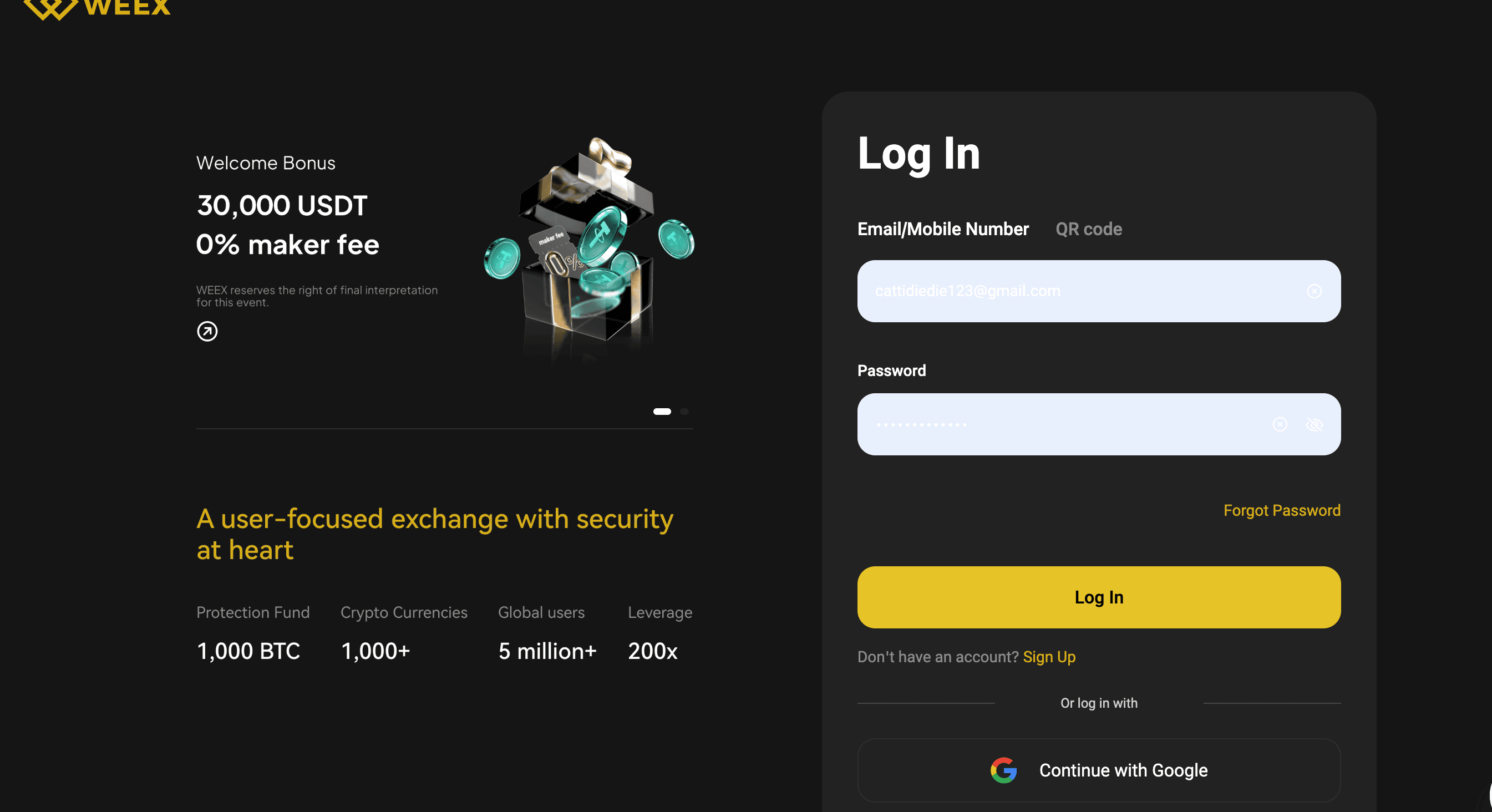
Step 1: Log in to Your WEEX Account
Visit the official WEEX Exchange website and log in to your account using your credentials. Ensure you’re on the official website to avoid phishing scams.
Step 2: Access Account Settings
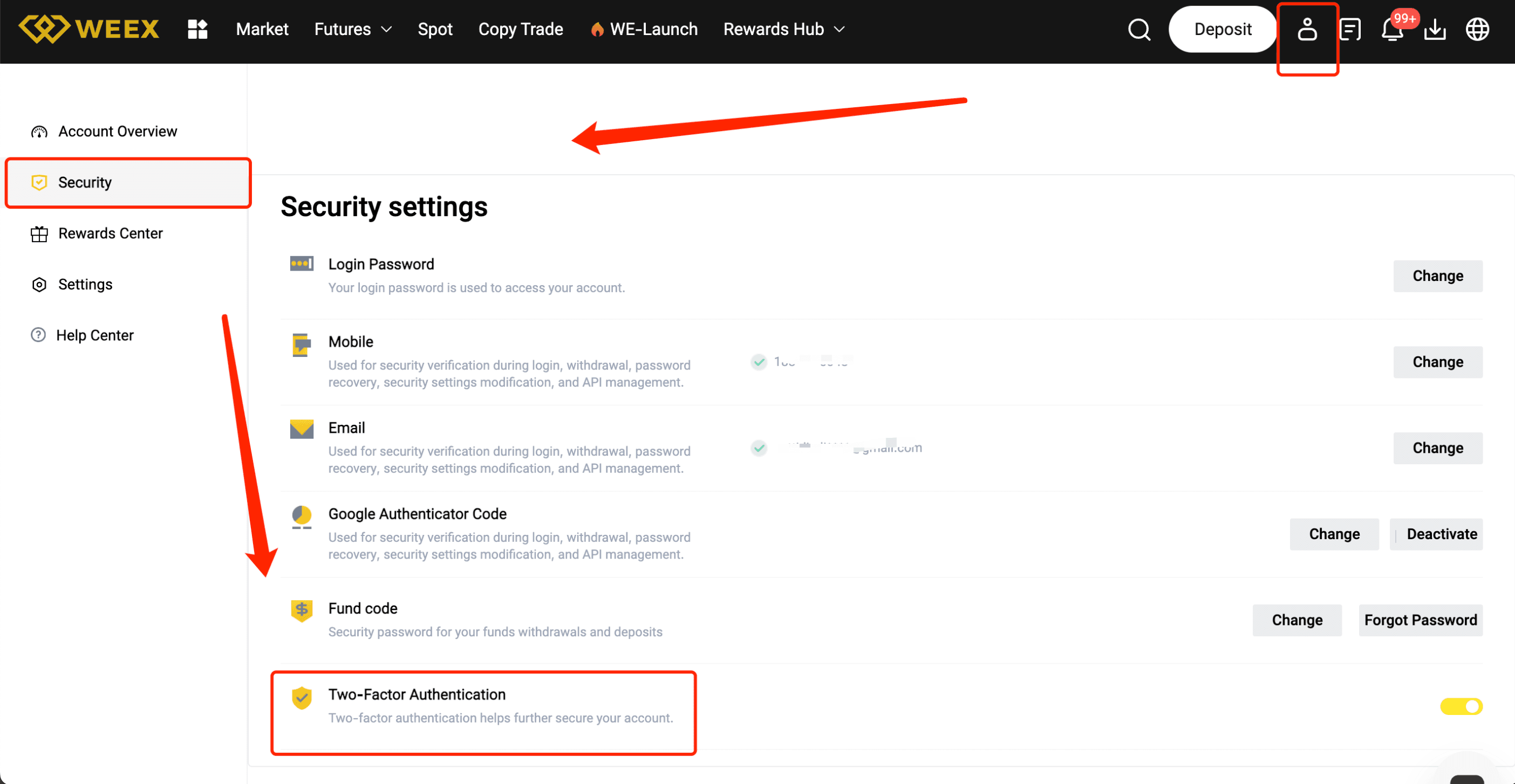
Once logged in, navigate to your profile settings by clicking your avatar or username in the top right corner. Select “Security Settings” or “2FA Settings” from the dropdown menu.
Step 3: Choose Your 2FA Method
You will be presented with several options for enabling 2FA. The most common method is to use an authenticator app. Choose “Enable 2FA via App” (e.g., Google Authenticator or Authy).
Step 4: Scan the QR Code
Open your chosen authenticator app and select “Add Account” or “Scan QR Code.” Use the app to scan the QR code displayed on the WEEX website. This will link your account to the app.
Step 5: Enter the Verification Code
Once the QR code is scanned, the authenticator app will generate a 6-digit code. Enter this code into the WEEX website to verify and complete the setup.
Step 6: Backup Codes
After completing the 2FA setup, WEEX will provide backup codes. Write these codes down and store them in a secure place, as they can be used to access your account if you lose access to your authenticator app.
Step 7: Confirm and Finalize
Double-check the details, then click on “Confirm” or “Activate.” Your 2FA will now be enabled, adding an extra layer of security to your account.
Pro Tips for a Smooth 2FA Setup
- Use a reliable authenticator app like Google Authenticator or Authy.
- Save your backup codes securely in case you lose access to your device.
- Ensure your mobile device is secure by using a strong PIN or password.
- Don’t share your 2FA codes with anyone—it's for your protection.
Benefits of Completing 2FA on WEEX
- Enhanced Security: Protect your account from unauthorized access with an additional verification layer.
- Higher Trust: Increase trust in your account and activities by showing that you've taken steps to secure your funds.
- Safer Trading: With 2FA enabled, your trades and withdrawals are protected from unauthorized actions.
Conclusion
Enabling 2FA on WEEX is a simple yet powerful way to secure your account and protect your funds. By following this guide, you ensure your account is safeguarded with an added layer of security. Don’t wait—enable 2FA today for peace of mind while trading!
You may also like

WEEX Weekly Highlights (May 08-May 15, 2026): New Trading Pairs, LALIGA Arena & Market Trends
WEEX Weekly Highlights (May 08 – May 15, 2026): WEEX highlights include H's 31.61% surge, the launch of new futures pairs (BILL, SATO, MEGA), and promotions including the LALIGA Arena and Trade to Earn instant rebates.

WXT Bounty Hunter Program Explained: Earn Crypto Rewards While Learning to Trade on WEEX
The WXT Bounty Hunter Program is a WEEX campaign running from May 8 to May 18, 2026, designed to help beginners learn crypto trading while earning rewards.
Users complete simple tasks like depositing USDT, trading WXT, and holding tokens to receive WXT rewards. New users can earn bonuses such as 200 WXT, while advanced users can compete for larger rewards based on trading activity, including a 100,000 WXT prize pool.
The program uses net metrics (deposits and buys minus withdrawals) to ensure fairness and excludes institutional trading. Holding 300 WXT also unlocks extra benefits like enhanced airdrops.
Overall, it combines learning and earning, making it an entry point into crypto trading on WEEX.
WEEX Weekly Highlights (May 01-May 08, 2026): New Trading Pairs, Cheer for El Clásico & Market Trends
WEEX Weekly Highlights (May 01 – May 08, 2026): WEEX highlights include TON's 102.88% surge, the launch of new futures pairs (KAIO, USAR, QCOM), and promotions including the LALIGA "Cheer for El Clásico" event and the WE-Launch TRX event sharing 30,000 TRX.
WEEX Weekly Highlights (Apr 17-Apr 24, 2026): New Trading Pairs, 200 USDT Giveaway & Market Trends
WEEX Weekly Highlights (Apr 17 – Apr 24, 2026): WEEX highlights include M's 25.35% surge, the launch of new futures pairs (哈基米, ASTEROID, OPG), and promotions including a 200 USDT Giveaway and a New User Bonus featuring a $30,000 SPK Airdrop.
WEEX Weekly Highlights (Apr 10-Apr 17, 2026): New Trading Pairs, Trade Crude Oil & Market Trends
WEEX Weekly Highlights (Apr 10 – Apr 17, 2026): WEEX highlights include RAVE's massive 1541.1% surge, the launch of new futures pairs (R2, BASED, LOL), and promotions including the "Trade crude oil" event and the UCL Fan Token Fest.
WEEX Weekly Highlights (Apr 03-Apr 10, 2026): New Trading Pairs, The Joker Returns & Market Trends
WEEX Weekly Highlights (Apr 03 – Apr 10, 2026): WEEX highlights include SIREN's 294.67% surge, the launch of new futures pairs (ADI, MEZO, CL), and promotions including "The Joker returns" and the "Invite friends to earn" event.
WEEX Weekly Highlights (Mar 20-Mar 27, 2026): New Trading Pairs, 0 Fees Spot Trading & Market Trends
WEEX Weekly Highlights (Mar 20 – Mar 27, 2026): WEEX highlights include M's 21.49% surge, the launch of new futures pairs (PDD, CRWV, LIN), and promotions including the 0 fees Spot Trading Challenge to share the DLDT prize pool, and a New User Exclusive offering up to 30,000 USDT in rewards.
WEEX Weekly Highlights (Mar 13-Mar 20, 2026): New Trading Pairs, AI-Powered Predictions & Market Trends
WEEX Weekly Highlights (Mar 13 – Mar 20, 2026): WEEX highlights include DEXE's 32.39% surge, the launch of new futures pairs (MU, BMNR, NG), and promotions including AI-Powered Predictions sharing $300,000 in mystery boxes and a New User Exclusive offering up to 30,000 USDT in rewards.
WEEX Weekly Highlights (Mar 06-Mar 13, 2026): New Trading Pairs, New User Exclusive & Market Trends
WEEX Weekly Highlights (Mar 06 – Mar 13, 2026): WEEX highlights include PI's 45.68% surge, the launch of new futures pairs (CHECK, DISTORTED, TQQQ), and promotions including "Your Best Hand Wins Real Crypto" and a New User Exclusive offering up to 30,000 USDT in rewards.
WEEX Weekly Highlights (Feb 27-Mar 06, 2026): New Trading Pairs, $300,000 Up for Grabs & Market Trends
WEEX Weekly Highlights (Feb 27 – Mar 06, 2026): WEEX highlights include RIVER's 89.06% surge, the launch of new futures pairs (COST, BSB, XCU), and updates including a $300,000 prize pool event with 0 fees on gold/silver and the Q4 WXT burn of 65.89M tokens.
WEEX Weekly Highlights (Feb 20-Feb 27, 2026): New Trading Pairs, Play your Hand & Market Trends
WEEX Weekly Highlights (Feb 20 – Feb 27, 2026): WEEX highlights include PIPPIN's 51.86% surge, the launch of new futures pairs (CRCL, SIREN, MSFT), and promotions including the "Play your Hand" event and 0% fees on gold and silver trades.
WEEX Weekly Highlights (Feb 13-Feb 20, 2026): New Trading Pairs, 0% Fees on Gold/Silver & Market Trends
WEEX Weekly Highlights (Feb 13 – Feb 20, 2026): WEEX highlights include KITE's 40.23% surge, the launch of new futures pairs (ESP, RLS, U), and promotions including the "Your Best Hand Wins Real Crypto" event and 0% fees on gold and silver trades.
WEEX Weekly Highlights (Feb 06-Feb 13, 2026): New Trading Pairs, Staking Special Offer & Market Trends
WEEX Weekly Highlights (Feb 06 – Feb 13, 2026): WEEX highlights include PIPPIN's 180.65% surge, the launch of new futures pairs (BIRB, RNBW, PIPE), and promotions including the WEEX Staking Special Offer and the WEEX AI Trading Hackathon.
WEEX Weekly Highlights (Jan 30-Feb 06, 2026): New Trading Pairs, Auto Earn BUTTCOIN & Market Trends
WEEX Weekly Highlights (Jan 30 – Feb 06, 2026): WEEX highlights include DCR's 32.67% surge, the launch of new futures pairs (WARD, ECHELON, TRIA), and promotions including Auto Earn BUTTCOIN and a Telegram exclusive $BTL event.
WEEX Weekly Highlights (Jan 23-Jan 30, 2026): New Trading Pairs, WXT Carnival S4 & Market Trends
WEEX Weekly Highlights (Jan 23 – Jan 30, 2026): WEEX highlights include STABLE's 34.74% surge, the launch of new futures pairs (HOOD, META, FUTU), and promotions including WXT Carnival S4 and MEME Ecosystem Week.
WEEX Weekly Highlights (Jan 16-Jan 23, 2026): New Trading Pairs, Trade to Earn & Market Trends
WEEX Weekly Highlights (Jan 16 – Jan 23, 2026): WEEX highlights include AXS's 120.75% surge, the launch of new futures pairs (DONT, ORCL, PLTR), and promotions including Trade to Earn and a Telegram exclusive $SKR event.
WEEX Weekly Highlights (Jan 09–Jan 16, 2026): New Trading Pairs, AI Predict & Win, & Market Trends
WEEX Weekly Highlights (Jan 09 – Jan 16, 2026): WEEX highlights include DASH's 136.10% surge, the launch of new futures pairs (雪球, FRAX, OWL), and promotions including the AI Predict & Win event and a Telegram exclusive $CRAZYLIVE airdrop.
WEEX Weekly Highlights (Jan 02-Jan 09): New Trading Pairs, Invite Friends Rewards & AI WARS Prize Boost
WEEX Weekly Highlights (Jan 02 – Jan 09, 2025): WEEX highlights include RENDER's 58.31% surge, the launch of new futures pairs (XAG, POWER, ZTC), and promotions including the Invite Friends rewards and the $1.88M prize pool for AI WARS WEEX ALPHA AWAKENS.
WEEX Weekly Highlights (May 08-May 15, 2026): New Trading Pairs, LALIGA Arena & Market Trends
WEEX Weekly Highlights (May 08 – May 15, 2026): WEEX highlights include H's 31.61% surge, the launch of new futures pairs (BILL, SATO, MEGA), and promotions including the LALIGA Arena and Trade to Earn instant rebates.
WXT Bounty Hunter Program Explained: Earn Crypto Rewards While Learning to Trade on WEEX
The WXT Bounty Hunter Program is a WEEX campaign running from May 8 to May 18, 2026, designed to help beginners learn crypto trading while earning rewards.
Users complete simple tasks like depositing USDT, trading WXT, and holding tokens to receive WXT rewards. New users can earn bonuses such as 200 WXT, while advanced users can compete for larger rewards based on trading activity, including a 100,000 WXT prize pool.
The program uses net metrics (deposits and buys minus withdrawals) to ensure fairness and excludes institutional trading. Holding 300 WXT also unlocks extra benefits like enhanced airdrops.
Overall, it combines learning and earning, making it an entry point into crypto trading on WEEX.
WEEX Weekly Highlights (May 01-May 08, 2026): New Trading Pairs, Cheer for El Clásico & Market Trends
WEEX Weekly Highlights (May 01 – May 08, 2026): WEEX highlights include TON's 102.88% surge, the launch of new futures pairs (KAIO, USAR, QCOM), and promotions including the LALIGA "Cheer for El Clásico" event and the WE-Launch TRX event sharing 30,000 TRX.
WEEX Weekly Highlights (Apr 17-Apr 24, 2026): New Trading Pairs, 200 USDT Giveaway & Market Trends
WEEX Weekly Highlights (Apr 17 – Apr 24, 2026): WEEX highlights include M's 25.35% surge, the launch of new futures pairs (哈基米, ASTEROID, OPG), and promotions including a 200 USDT Giveaway and a New User Bonus featuring a $30,000 SPK Airdrop.
WEEX Weekly Highlights (Apr 10-Apr 17, 2026): New Trading Pairs, Trade Crude Oil & Market Trends
WEEX Weekly Highlights (Apr 10 – Apr 17, 2026): WEEX highlights include RAVE's massive 1541.1% surge, the launch of new futures pairs (R2, BASED, LOL), and promotions including the "Trade crude oil" event and the UCL Fan Token Fest.
WEEX Weekly Highlights (Apr 03-Apr 10, 2026): New Trading Pairs, The Joker Returns & Market Trends
WEEX Weekly Highlights (Apr 03 – Apr 10, 2026): WEEX highlights include SIREN's 294.67% surge, the launch of new futures pairs (ADI, MEZO, CL), and promotions including "The Joker returns" and the "Invite friends to earn" event.


